Enabling Email Notifications For Own Actions
By default, an email notification is not sent to a user if it's triggered due to that user's actions. For example, if a user changes the status of an issue, they will not receive an email notification of the status change, but other users (depending on system settings) will receive this notification.
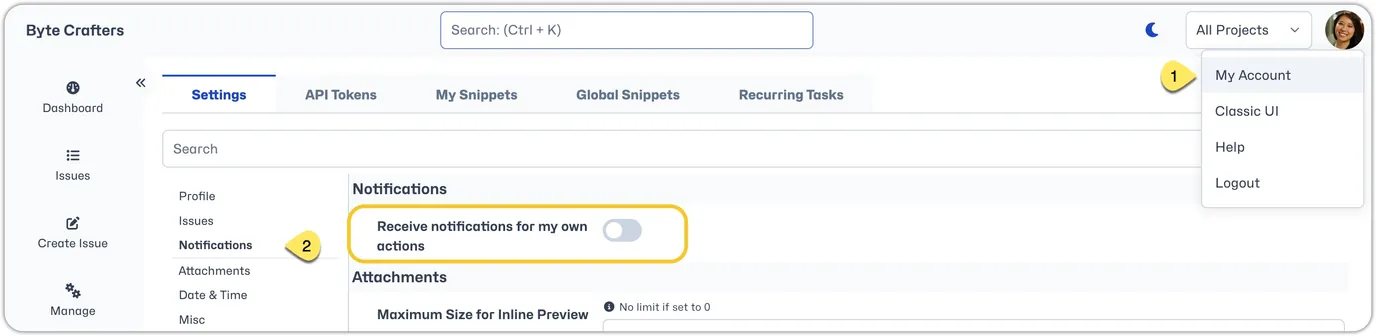
A user can elect to receive email notification of their own actions in their personal settings. Select 'My Account' from the dropdown below the user avatar in the top right corner. Under settings, select 'Notifications'. You will see a setting for 'Receive notifications for my own actions'. Simply toggle this setting on and click 'Save'.