
Export Issues to Excel / CSV
Video Tutorial - Exporting Issues
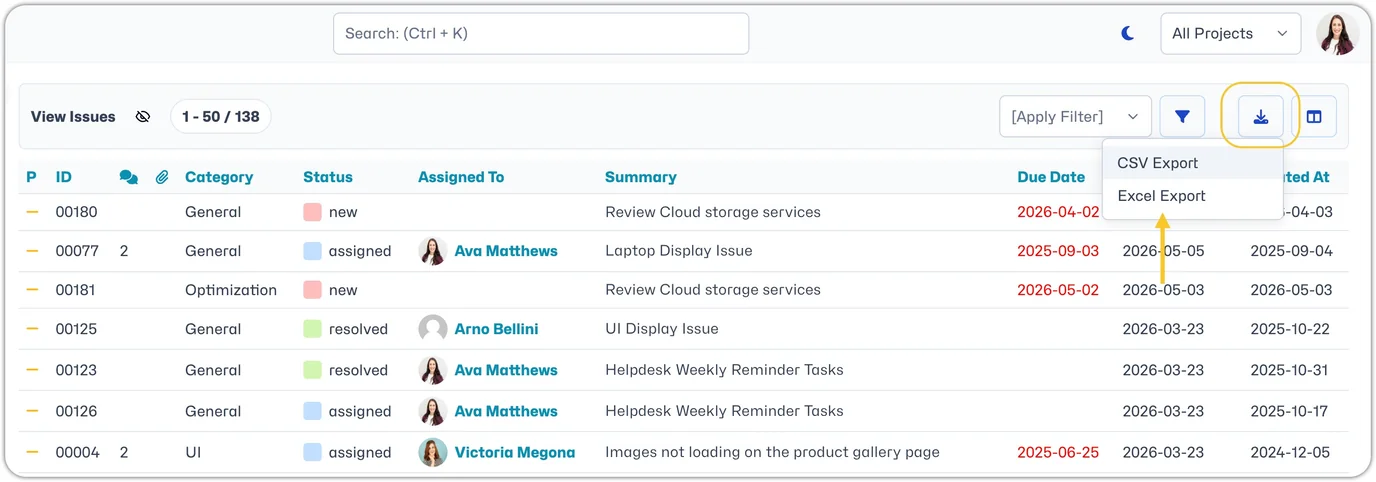
To export issues, just head to the Issues Page. Once you have applied any necessary filters to reach the desired list of issues for export, you can then click the export icon in the top right of your Issues table.
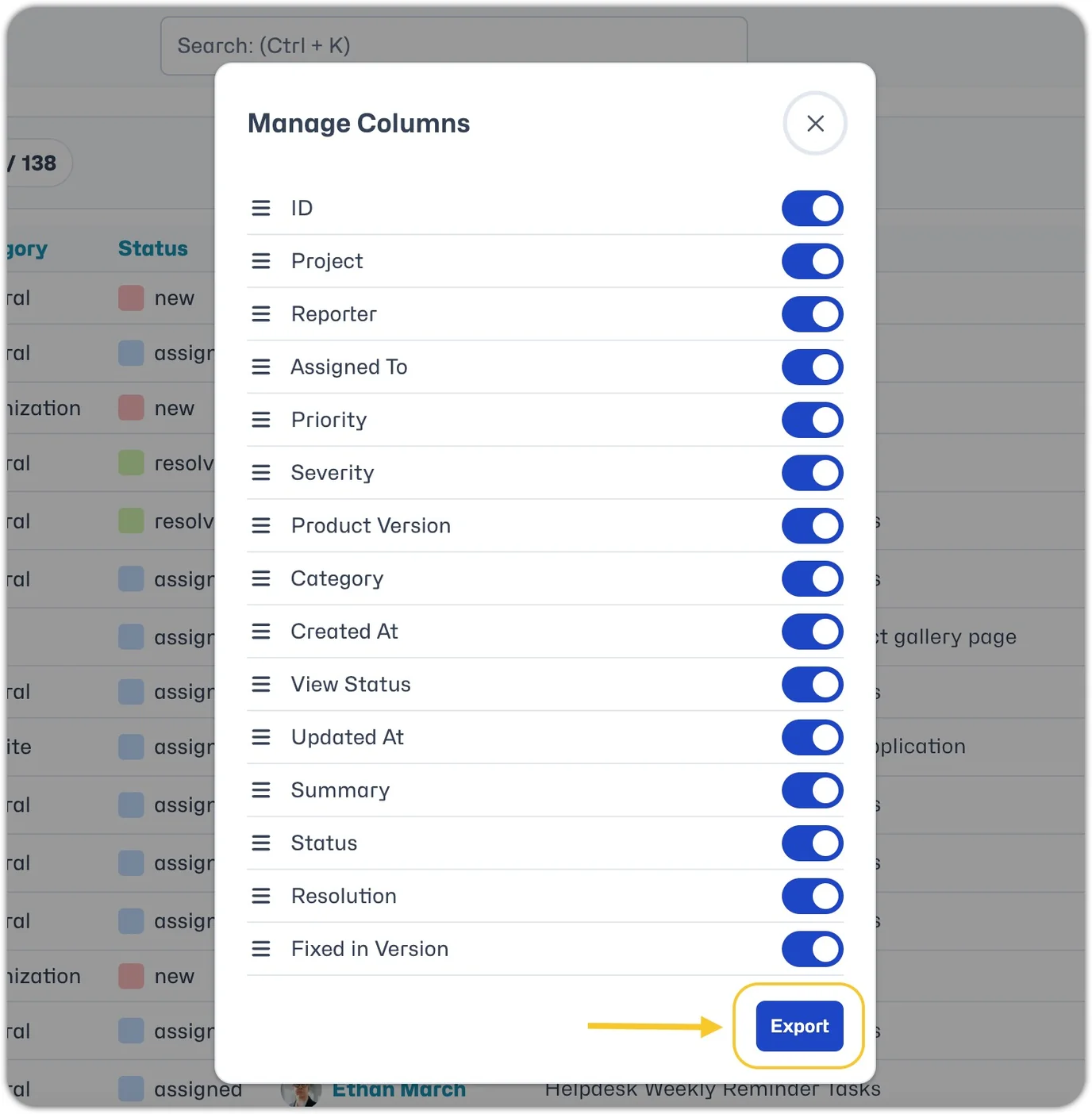
Once clicked, you will be invited to select what data/columns you would like to include in the export. Once you are happy with the selection, click "Export".
The csv or xls file will automatically download.