
Project Changelog
If you are still using the classic interface, please head to the Classic UI Article
MantisHub allows you to track the status of issues and relate issues to Versions. The versions are reflected in the Changelog to help you track progress and milestones within your projects.
The Changelog can be included in software releases to help users understand its value. It addresses common questions like: 'What's new?' and 'What's been fixed?'.
A project can have multiple versions. When creating an issue, users can indicate which version they found the issue in (Product Version), and developers usually fix issues in the version soon to be released (Fixed in Version).
For an issue to appear in the Changelog, it must satisfy specific criteria.
The issue must have a:
- 'resolved' or 'closed' status.
- 'fixed' resolution, and
- version set in the 'Fixed in Version' field
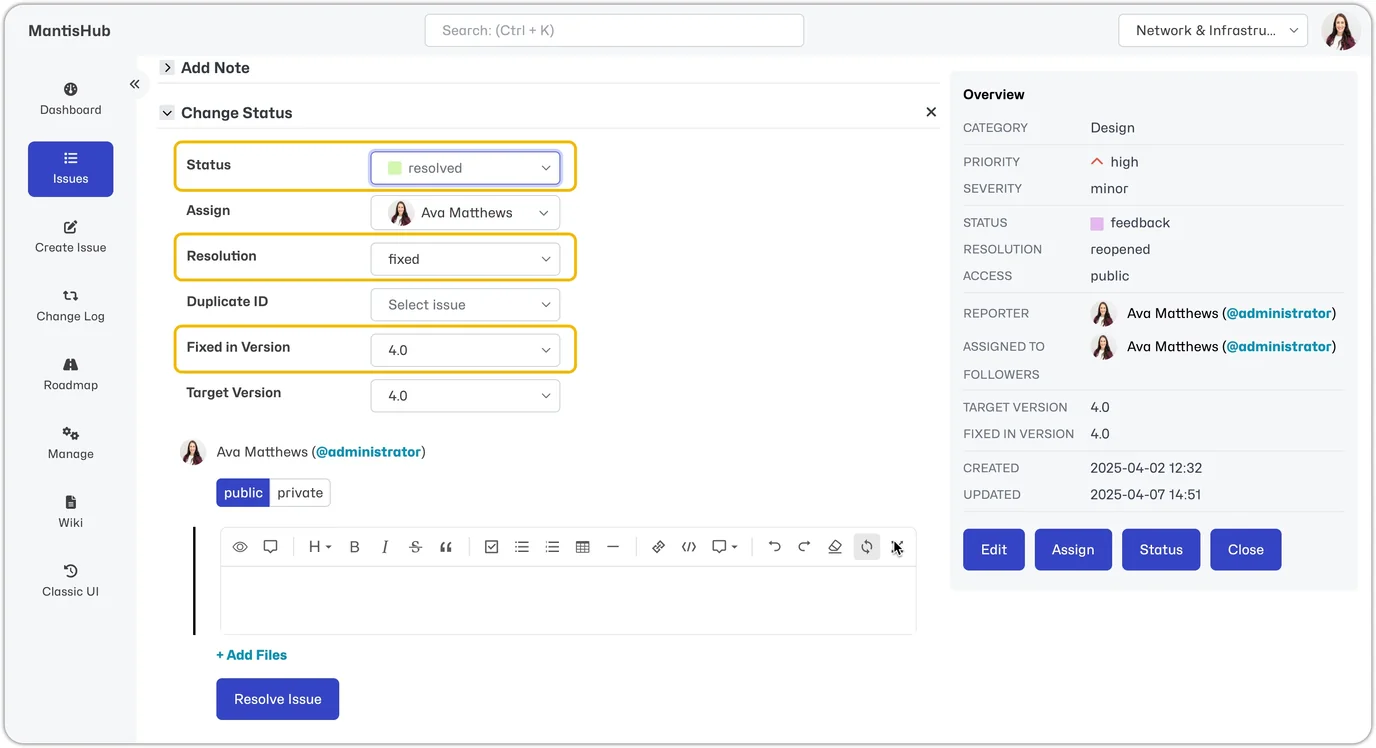
Once the issue satisfies all these criteria, the issue will automatically appear in your Changelog.
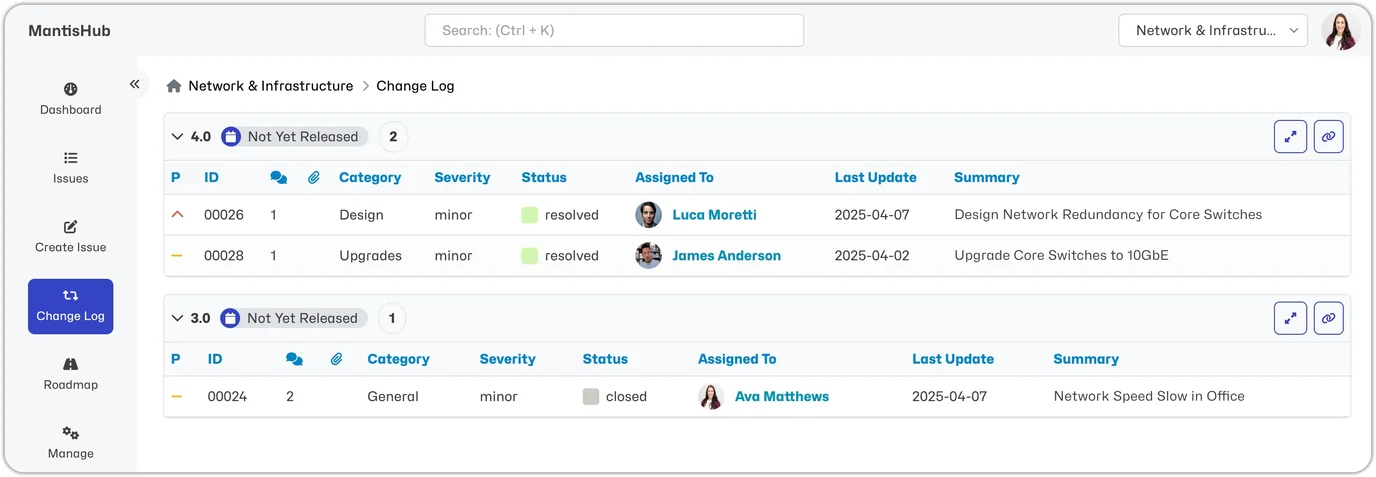
Settings
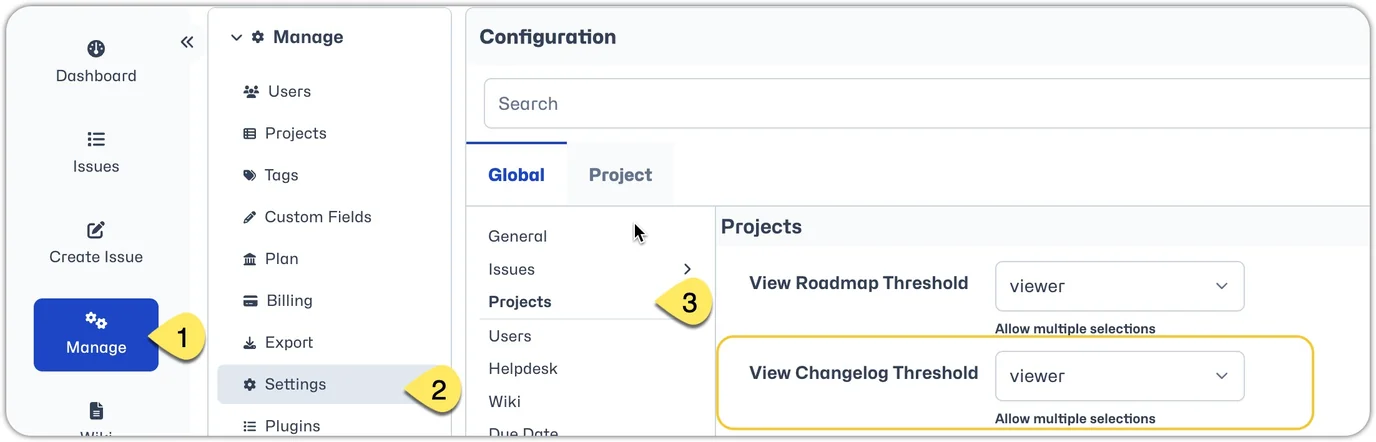
By default, all users can see the Changelog, but it is possible to restrict which users can view it by access level. To amend this setting, head to Manage - Settings - Projects and adjust the "View Changelog Threshold".
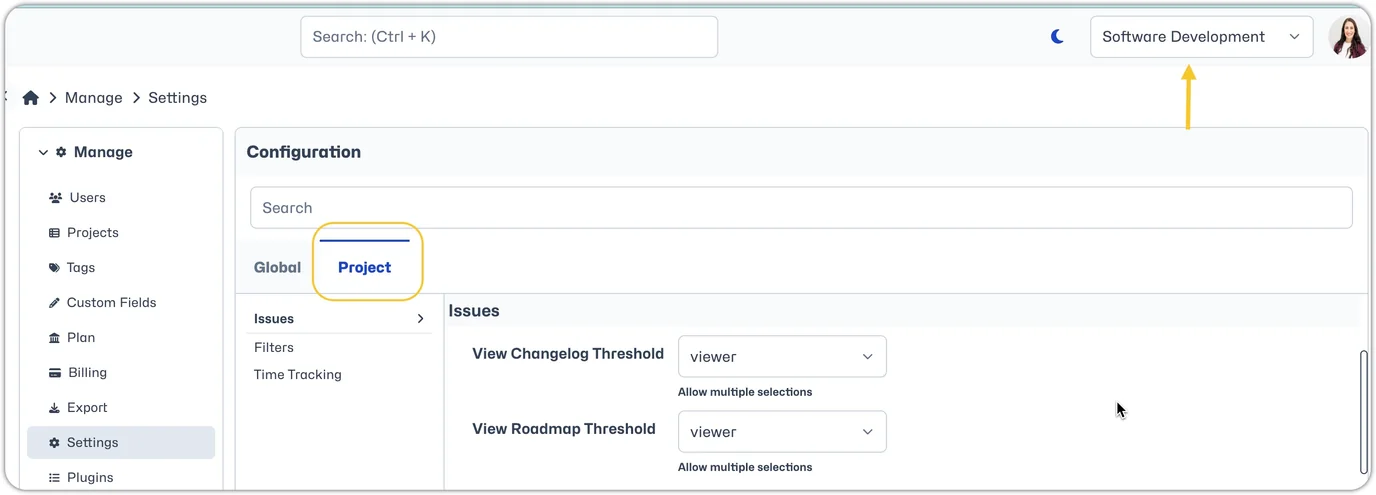
This setting can also be changed for a specific project. Just make sure you switch from the 'Global' to the 'Project' tab and ensure the correct project is set in the Project Selector.
Tips
Make sure you have versions defined for the project. Otherwise, no version-related fields will be displayed. If you need help, check out the article Project Configuration.
Using the group action feature on the Issues page, you can simultaneously set the 'Fixed In Version' field for multiple issues. This option is only available when your selected project is not 'All Projects.'