
Forgot/Reset Password
If you are still using the classic user interface, please see the Classic UI Article
It's common for users to forget their passwords. MantisHub offers two options for these situations: "Forgot Password" and "Reset Password." Alternatively, with supported vendor accounts, you can access your MantisHub using single sign-on.
Forgot MantisHub Password (Self-Service)
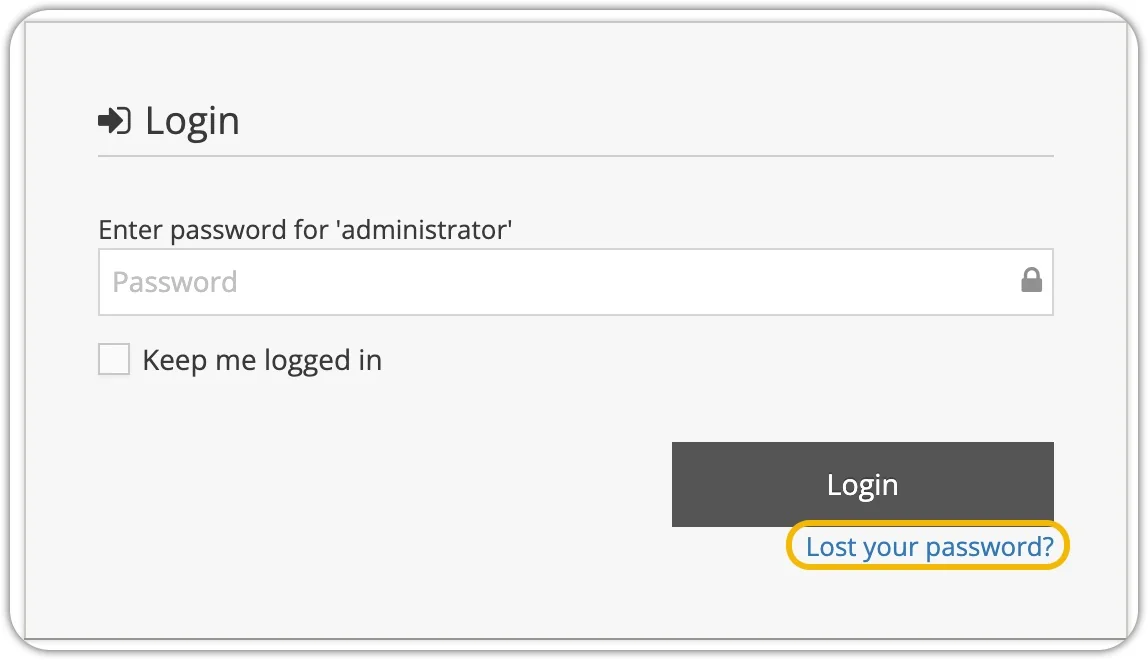
The "Forgot Password" feature is a self-service option. To use it, visit the login page, enter your username or email address, and click 'Login.' If you cannot remember your password, simply click the 'Lost your password?' link.
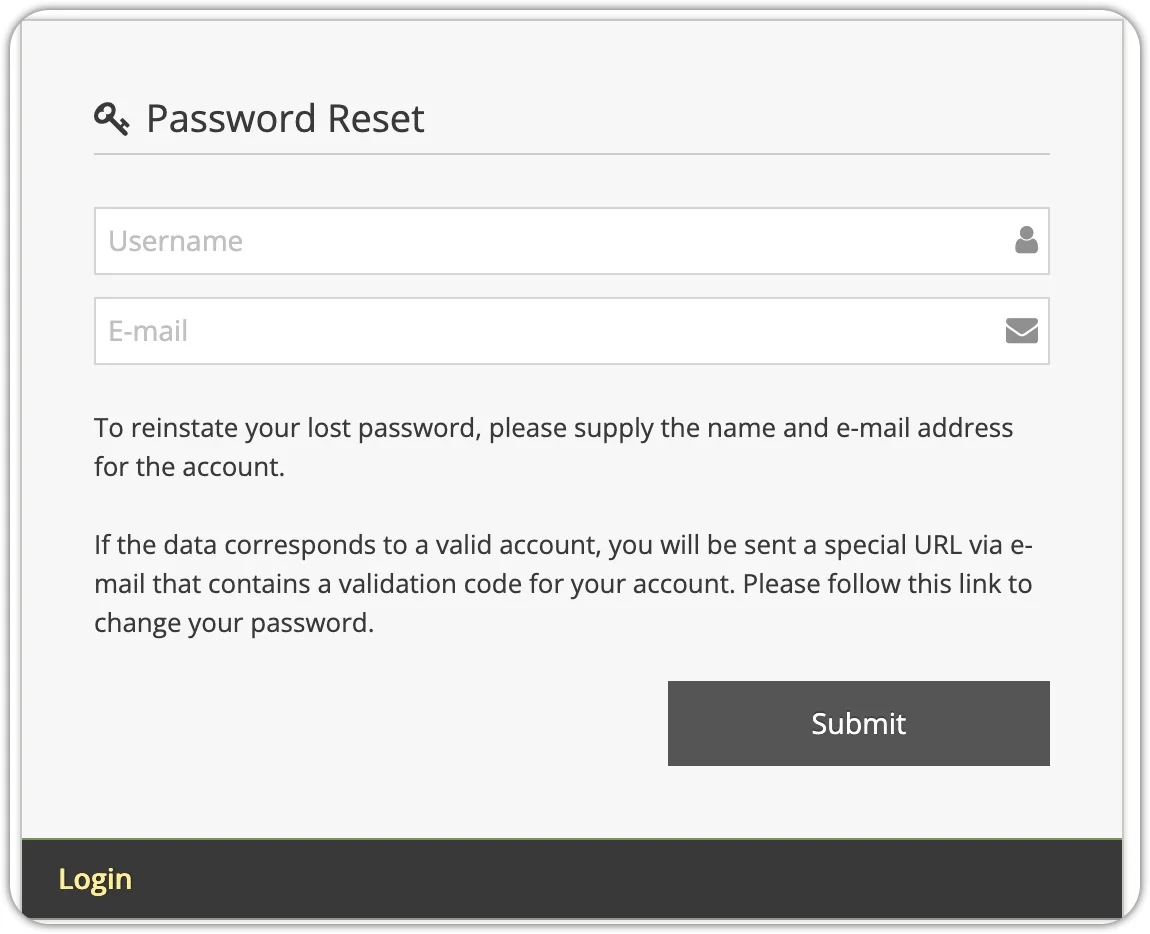
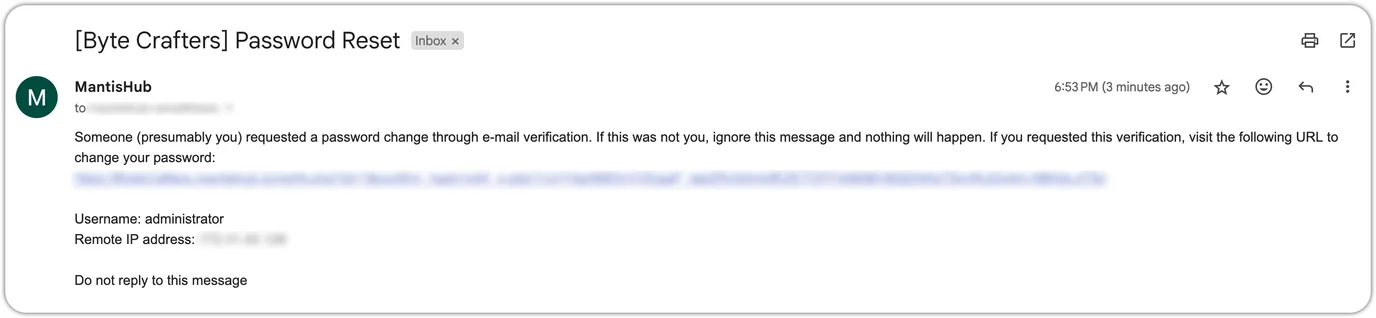
You'll be prompted to provide your username and email address. If the information is correct, you'll receive an email with a link to log into MantisHub and change your password.
Reset MantisHub User Password (by administrator)
In the "Reset Password" scenario, a user contacts the administrator to report difficulty logging into MantisHub. This could be due to forgetting their password, username, or the email address they used for registration.
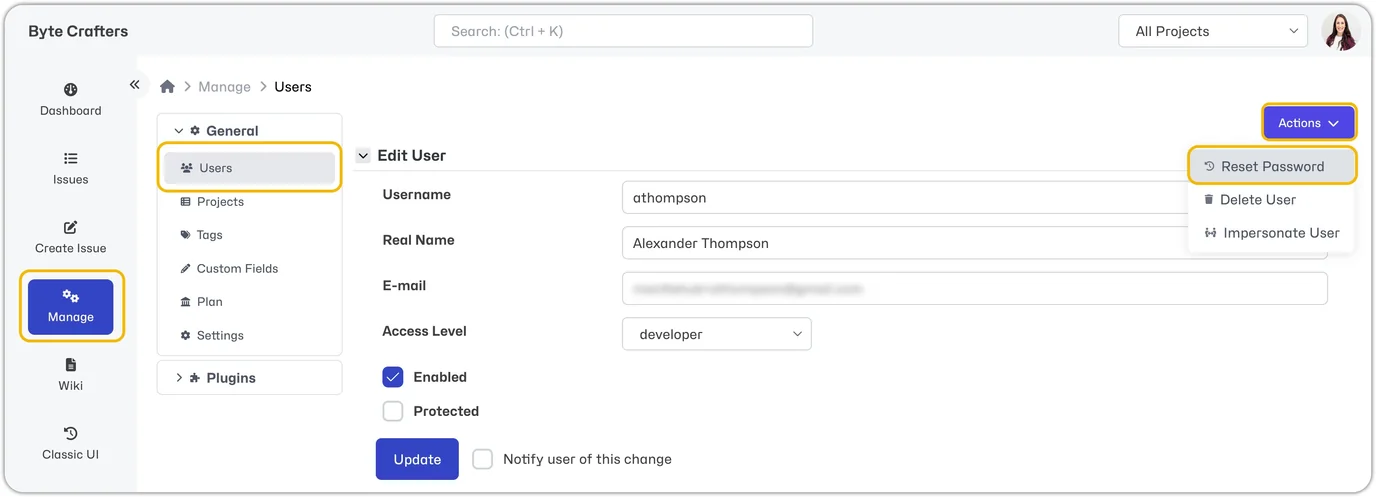
The administrator can resolve this by navigating to Manage -> General -> Users and selecting the user in question. Then, under "Actions" select "Reset Password". This will trigger an email to the user, allowing them to access MantisHub and set a new password.
INFO
Please note that the primary account holder's username is always administrator, unless the user has specifically changed it.
If the user is not receiving their reset email, they should check their spam/junk folders and ensure that the email address they entered is correct. Additionally, you can enable the Event Log for diagnostic information.