Marking Issues and Issue Notes as Private by Default
For those using the Classic interface, please see the - Classic UI article
MantisHub supports private and public view statuses of your issues and/or your notes. This allows you to have greater control over access to your content. By default, all issues and notes are public.
Issues
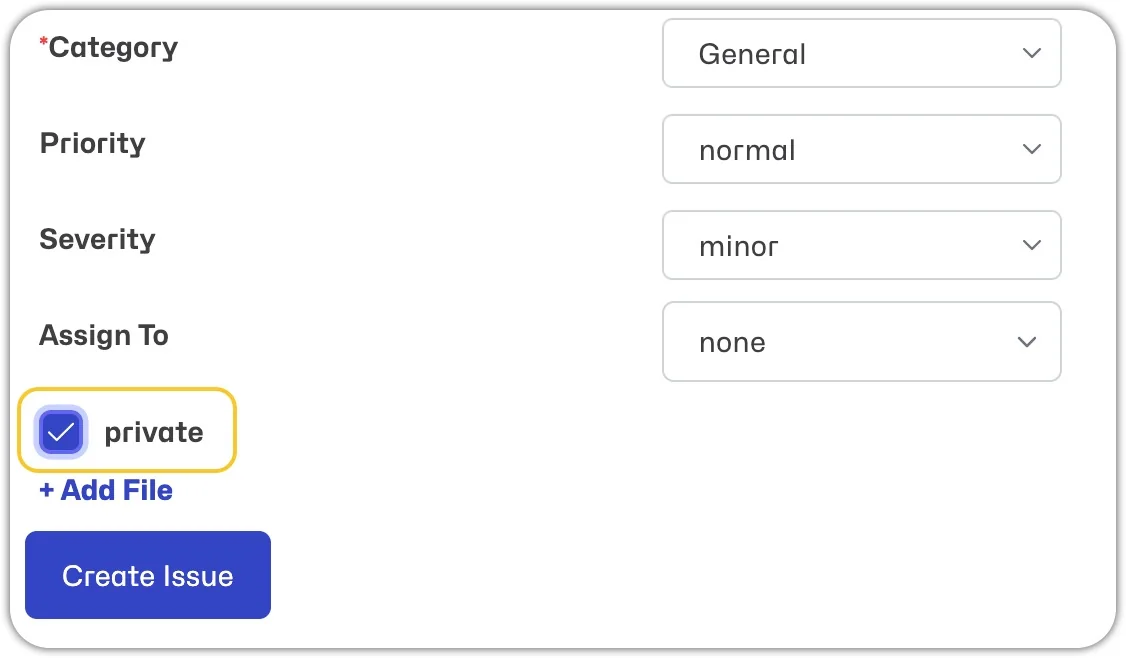
- When creating the issue, simply check the 'Private' checkbox before selecting 'Create Issue' to make it private.
- When editing an existing issue, check or uncheck the 'Private' checkbox.
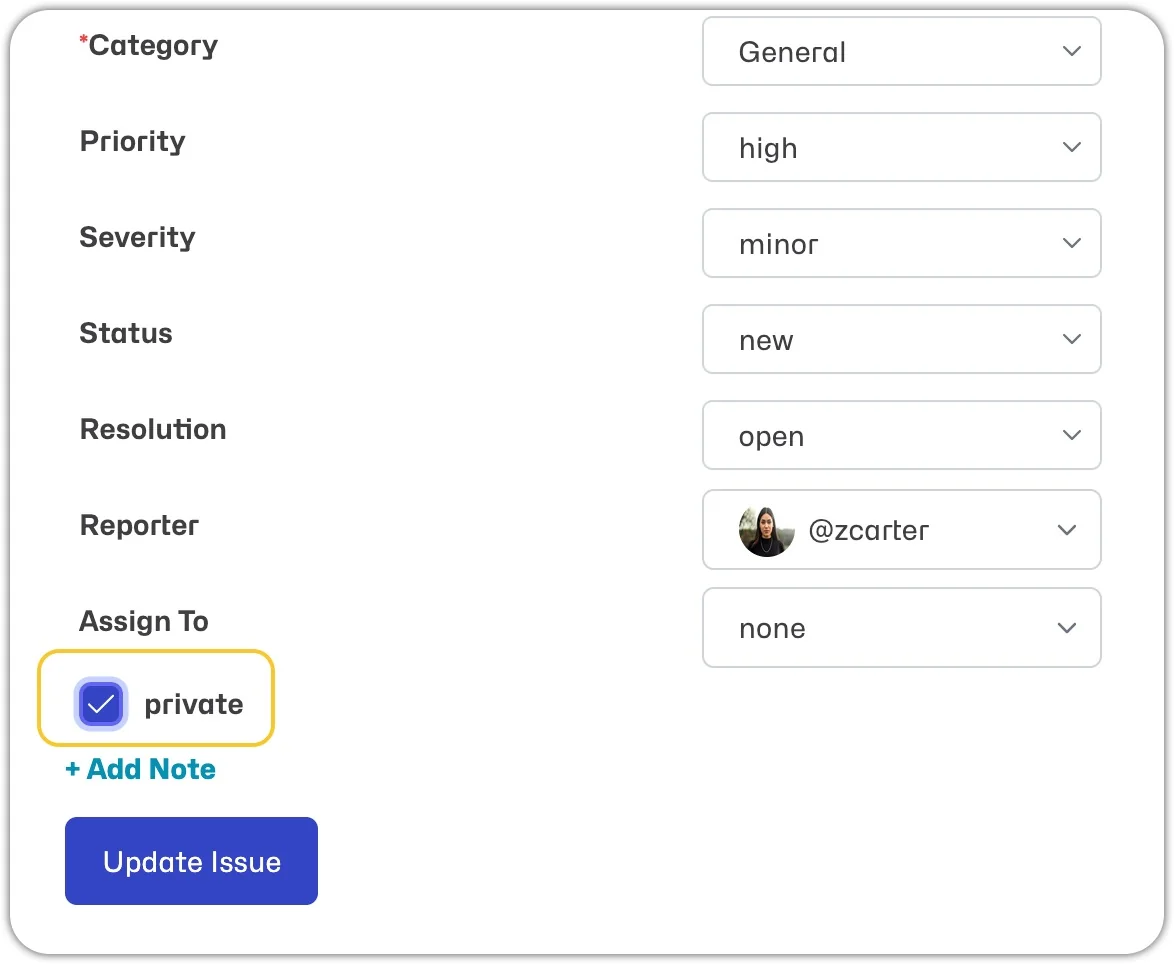
Private issues are visible to your internal project team, i.e., developer access level and above, as well as the issue's reporter.
Notes
- If the issue was created via a Helpdesk email, then you will see a toggle above the note 'Respond to Customer/Internal Note.' Selecting 'Respond to Customer' will create a public note that will be shared via notifications to the email reporter(s) of the issue. Selecting 'Internal Note' will create a private note and will not be shared via notifications to the email reporter(s).
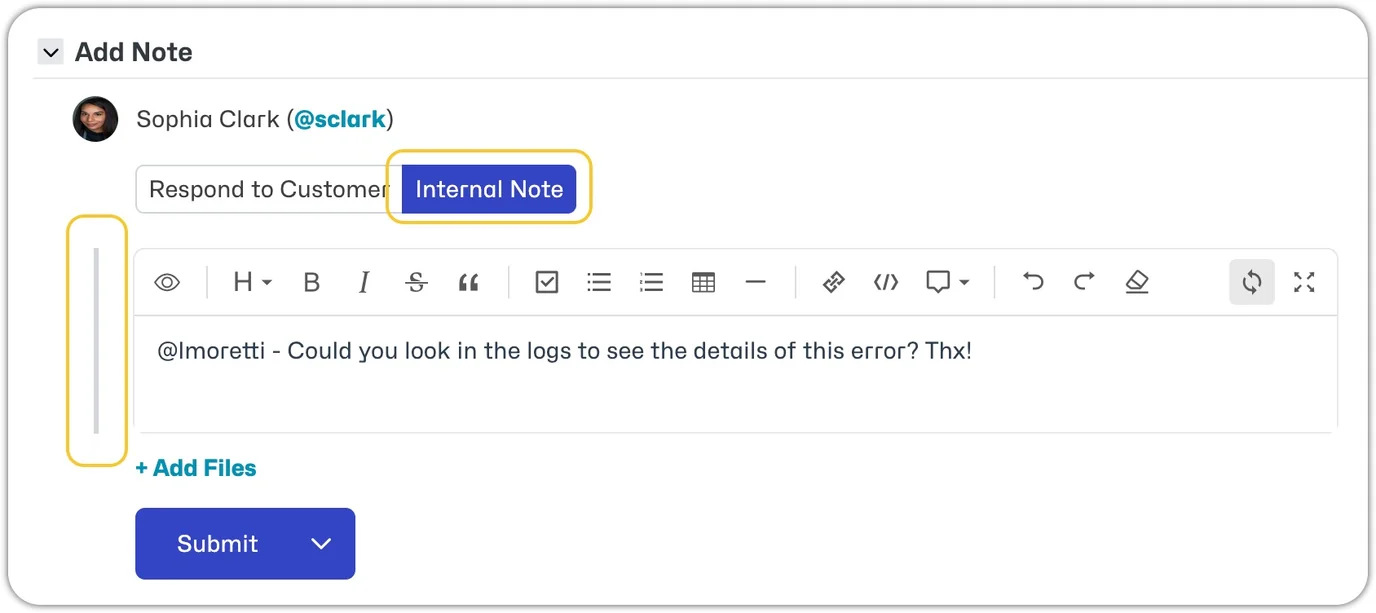
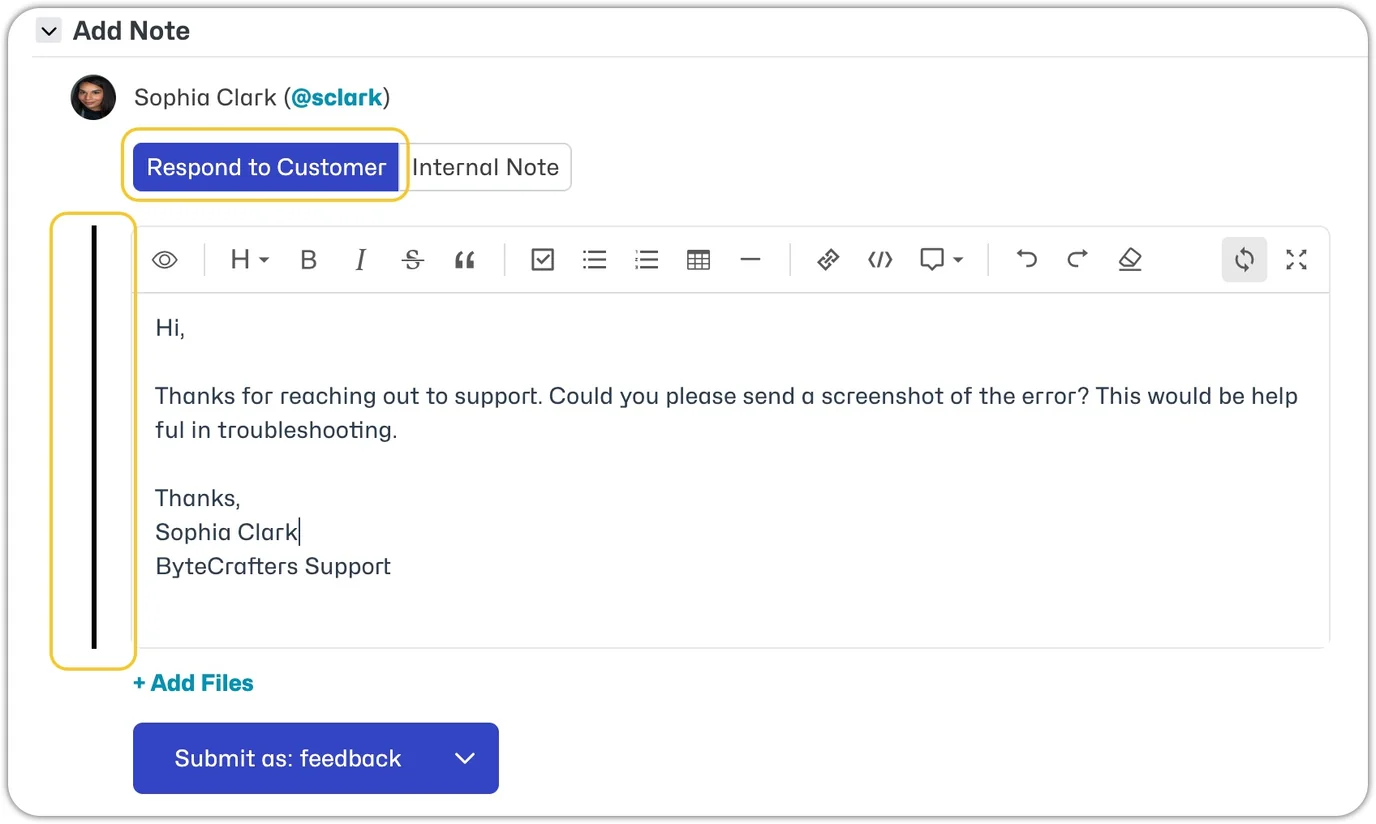
- If the issue was created within MantisHub, i.e. an internal user created the issue. You will see a toggle above the note, 'Public/Private'. Selecting 'Public' will create a public note. Selecting 'Private' will create a private note.
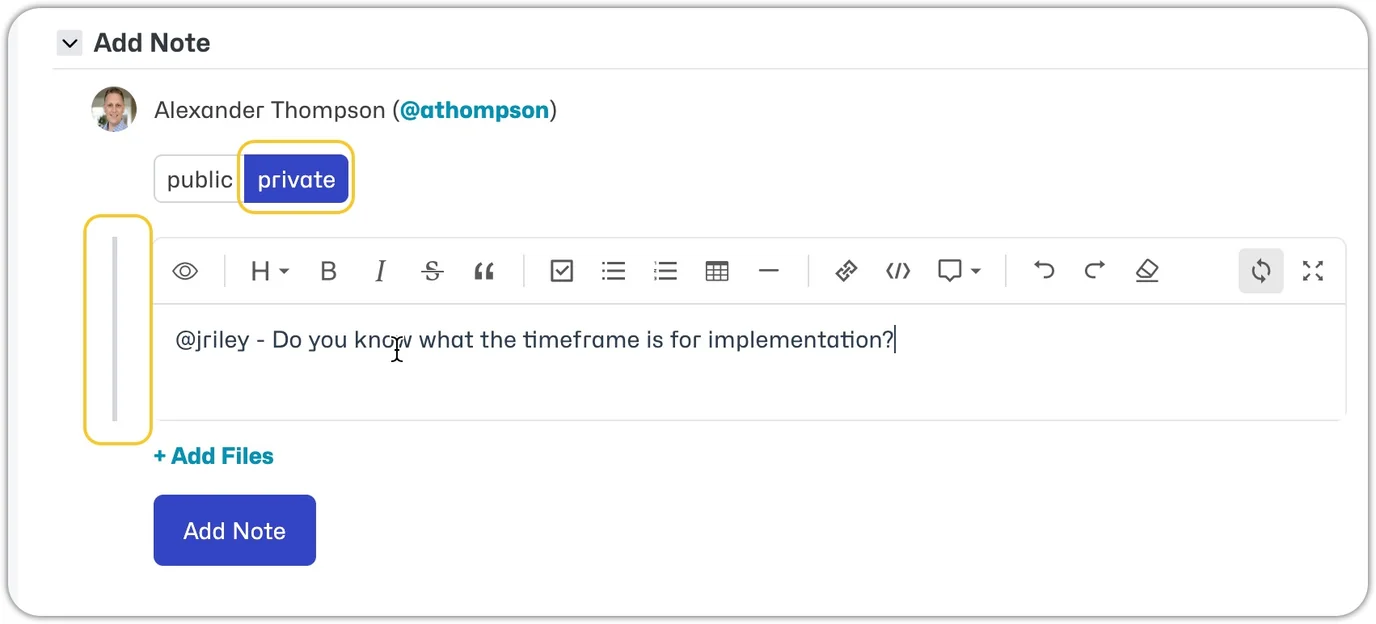
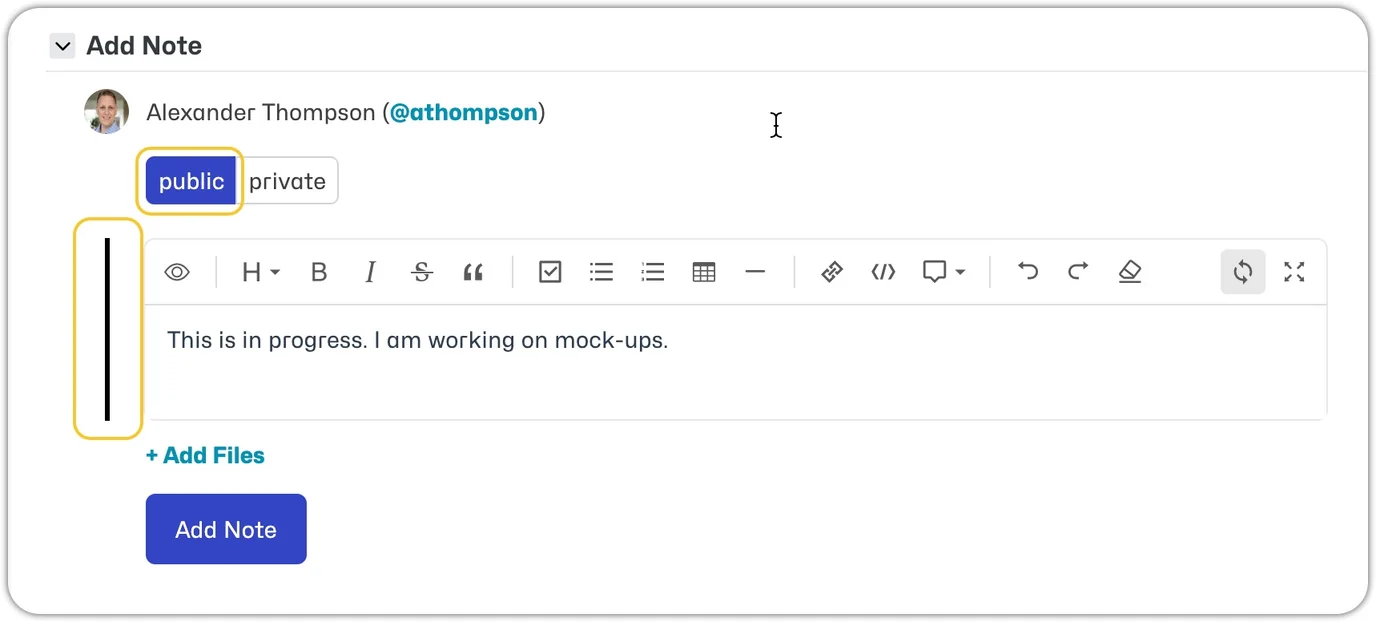
- The bar along the side of the note is black when PUBLIC and gray when PRIVATE.
Settings
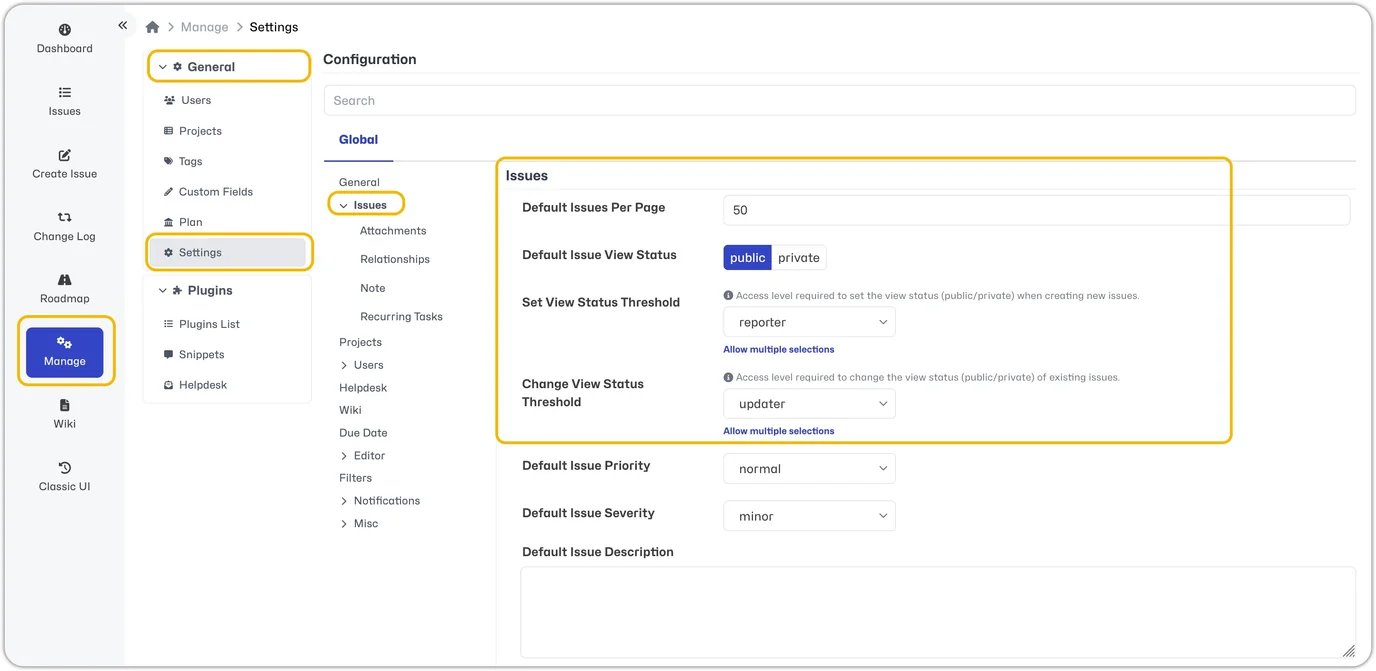
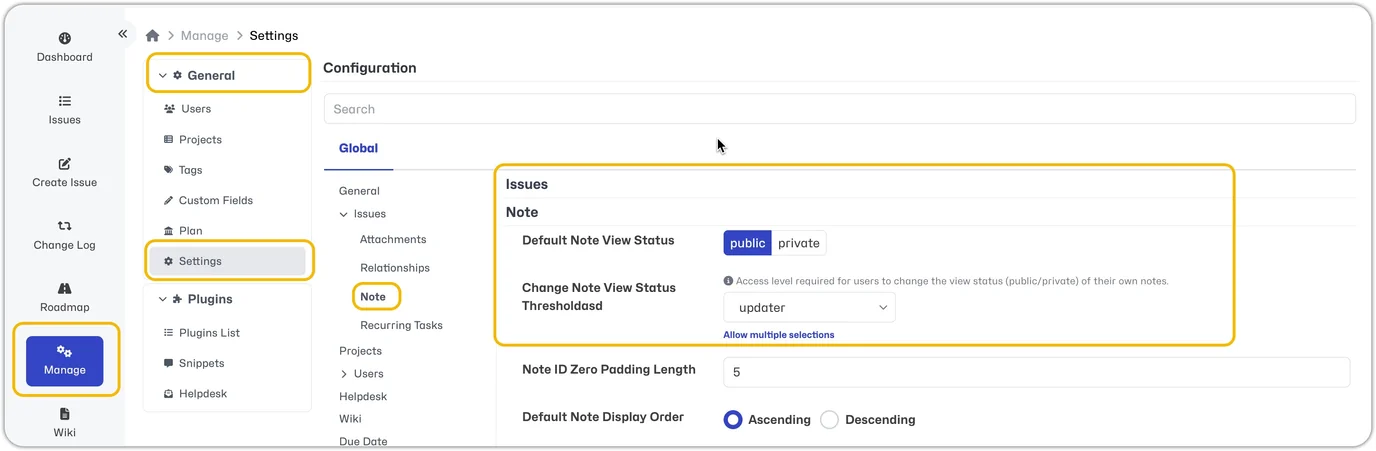
To modify the settings of Issues or Notes go to Manage - General - Settings - select Issues or Notes
Default Issue View Statusto set issues private by default.Default Note View Statusto set notes private by default.
All incoming email notes will use the default note view status, i.e. if the default for notes is private, they will be private. If you want a note sent out to an unregistered user (perhaps a customer), you would need to enter the note within MantisHub and manually toggle the note to Respond to Customer or make the default public.
Set View Status Thresholdto modify the access level required to set the view status (public/private) when creating new issues.Change View Status Thresholdto modify the access level required to change the view status (public/private) of existing issues.Change Note View Status Thresholdto modify the access level required for users to change the view status (public/private) of their own notes.