
Changing Password
Except for user accounts that are set to “Protected”, users are able to change their own passwords.
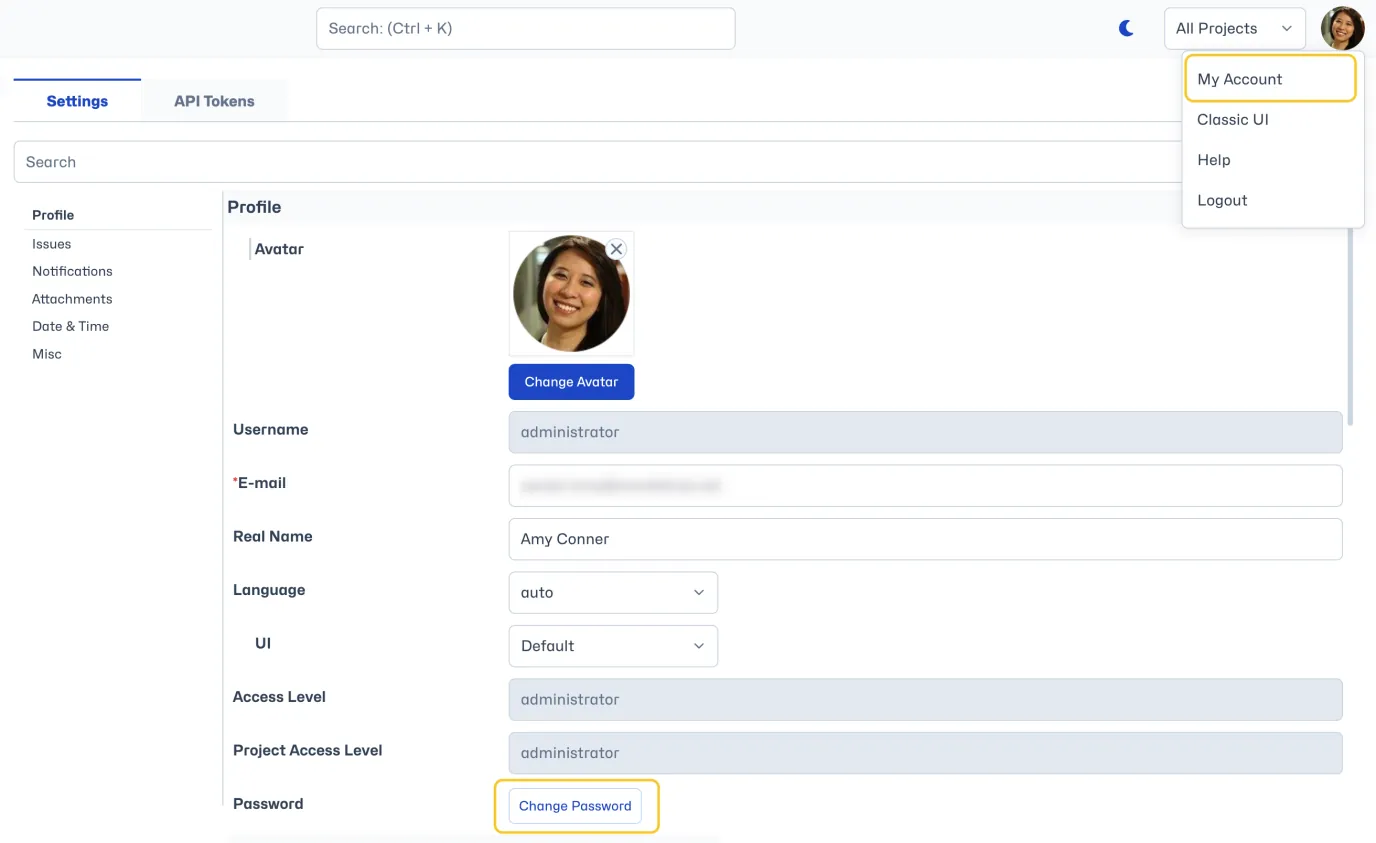
To change account password, users need to select “My Account” from the avatar dropdown menu in the top right. Within their Profile settings, click the "Change Password" button.
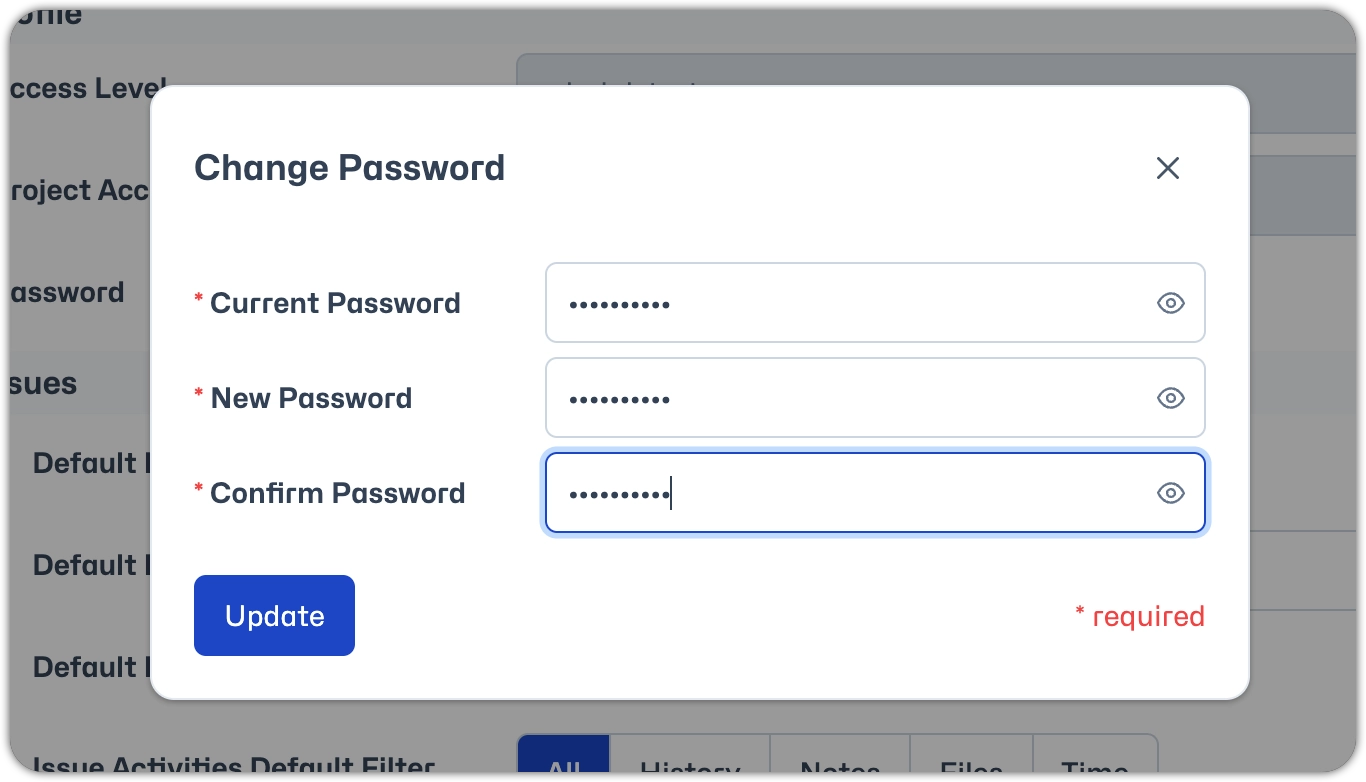
Enter the old password, new password and confirmation of the new password and click “Update”.
Changing the password automatically invalidates all logged-in sessions, and hence the user will be required to log in again.
Invalidating existing sessions is very useful when a user goes to a computer, logs into MantisHub, and leaves the computer without logging out. By changing the password from another computer, the session on the original computer automatically becomes invalidated.