
Exporting Your Data Backup
As part of MantisHub's service, we automatically backup your data daily. However, administrators often like to get regular snapshots of their own data. MantisHub makes it easy for users with administrator access to export backups.
Go to 'Manage' - 'Export'. Displayed will be the last backup you requested. To create a fresh one, click the 'Start Export' button.
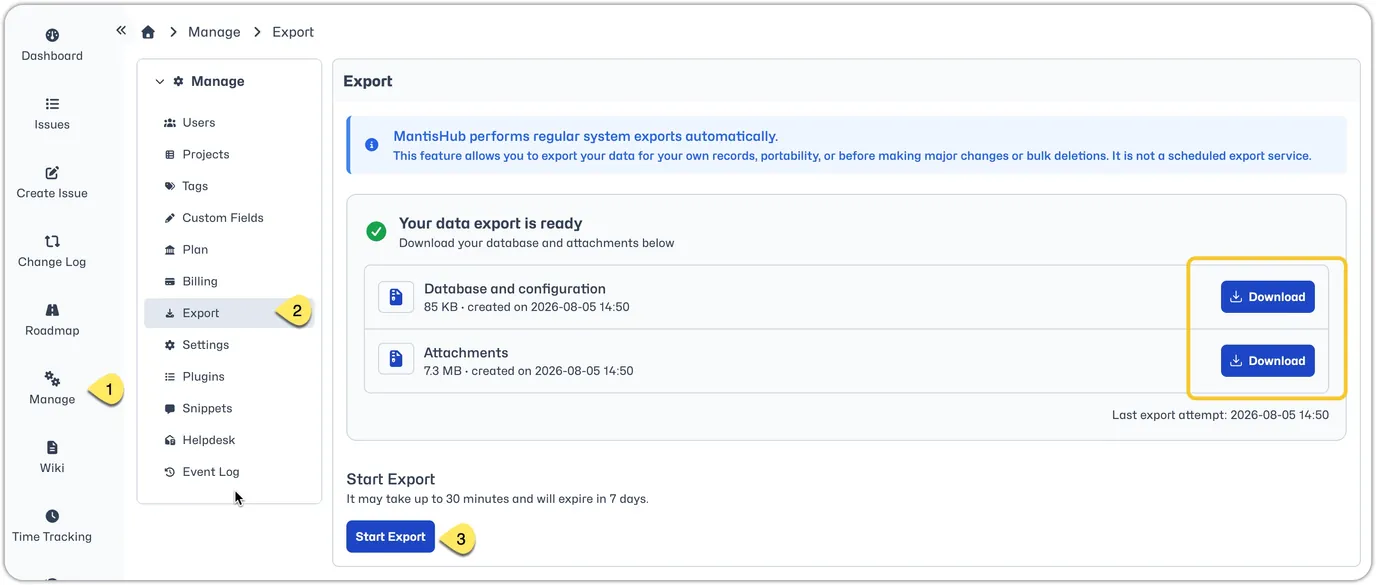
This will create two zip files.
- 'Database and configuration' containing a dump of the MySql database as well as the configuration files.
- 'Attachments' containing any attachments.
Click on the links to download these via your browser. You will have 7 days to download the backup before the provided links expire. If links have expired you would need to re-generate a new export.
Large Databases
For services with a large amount of data (check our your Plan page to see how much data you are using) a direct download of database and attachment files is not possible due to the size of such files. For such cases, we provide a Restic export. Follow the process detailed in Restic export article.