
Accessing your MantisHub Service and Account details
How to Log In after initial sign up
After users sign up for their MantisHub, they are often not sure how to log in for the first time to access the service.
At sign-up you would have:
Nominated a name for your MantisHub (e.g. bytecrafters),
Provided an email address and
Provided a password
Assuming that your MantisHub is named bytecrafters you will need to browse to:
https://bytecrafters.mantishub.io
To log in, as the account creator, your username will be administrator and the password will be the one you created at sign up. Logging in with your email address is also supported.
All other users can access your MantisHub URL from anywhere via their browser and log in using their username or email address and the password they created on receiving the invitation email (see user accounts for details).
If you check the "Keep me logged in" checkbox, you will remain logged in on that browser window and tabs until you manually log out.
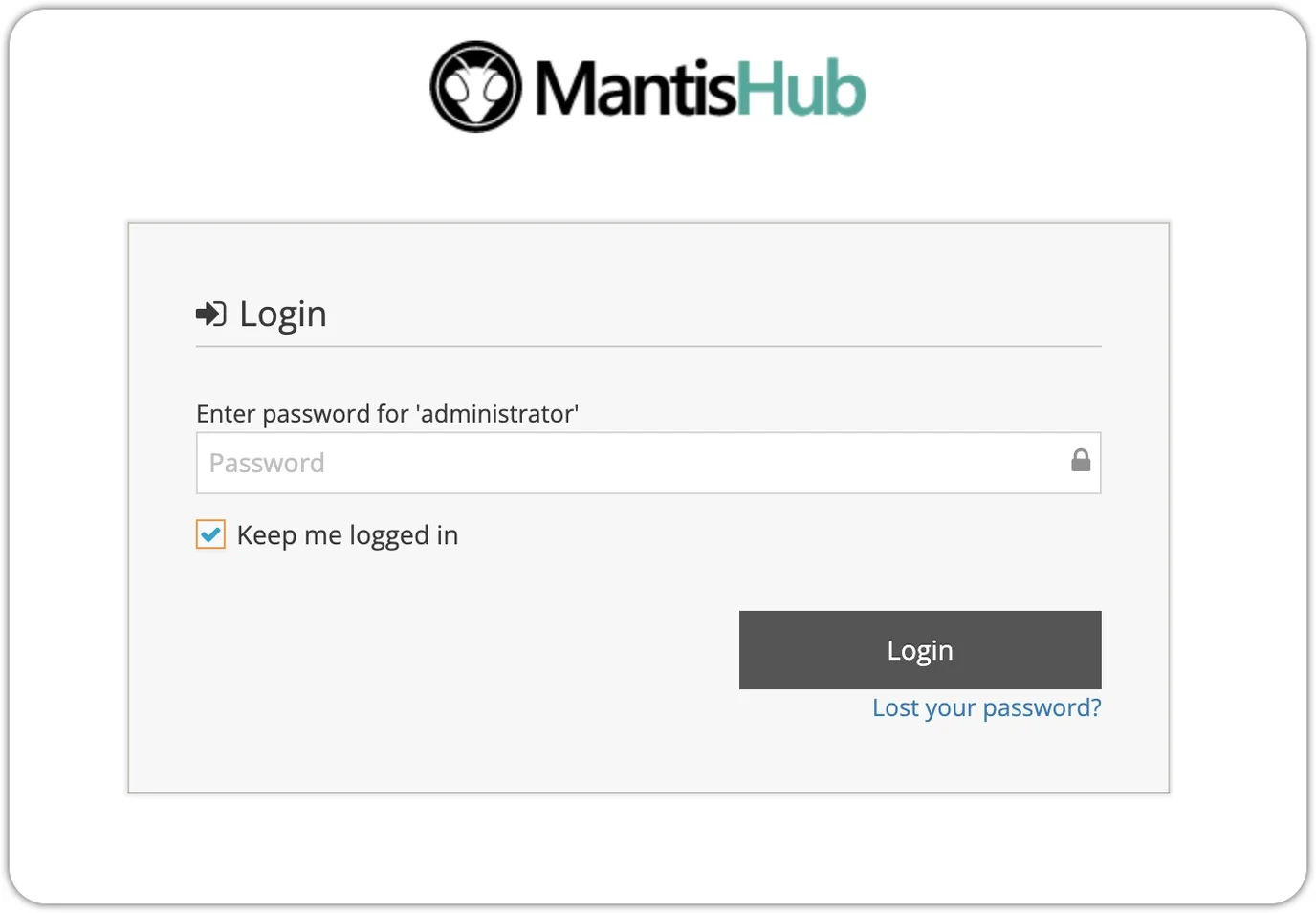
For plans that include our AuthHub SSO feature, you can set up access to your MantisHub using single sign-on with supported vendor accounts.
Account Management
To view your Plan details, such as plan inclusions and current usage, go to the Manage page and select 'Plan'. To manage your account, select 'Billing' in the Manage Page menu.
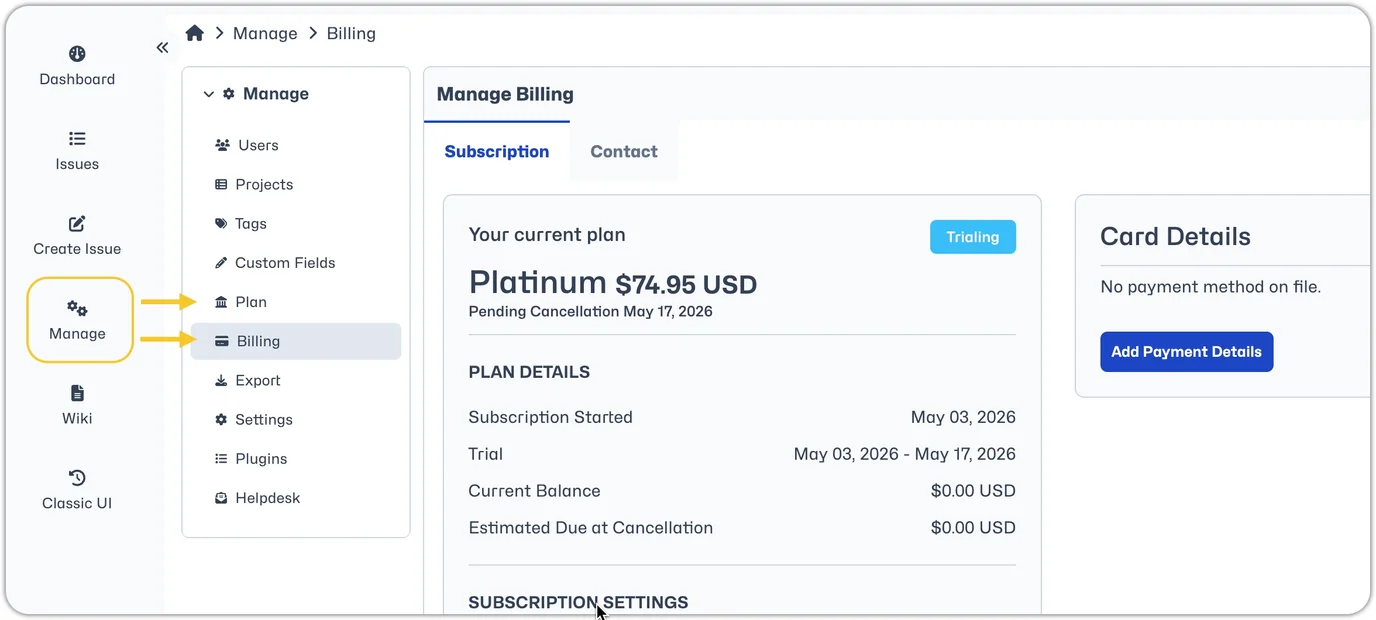
The Billing menu item will be accessible to all administrator level user accounts. From the billing page, you will be able to make all account changes such as adding or updating payment details, updating contact details, changing plans or cancelling your service.
So now that you're in, check out our video on how to get started.