
Create an Issue
Reporting an Issue - Classic UI Article
Once you have created a project and some categories, issues can be created.
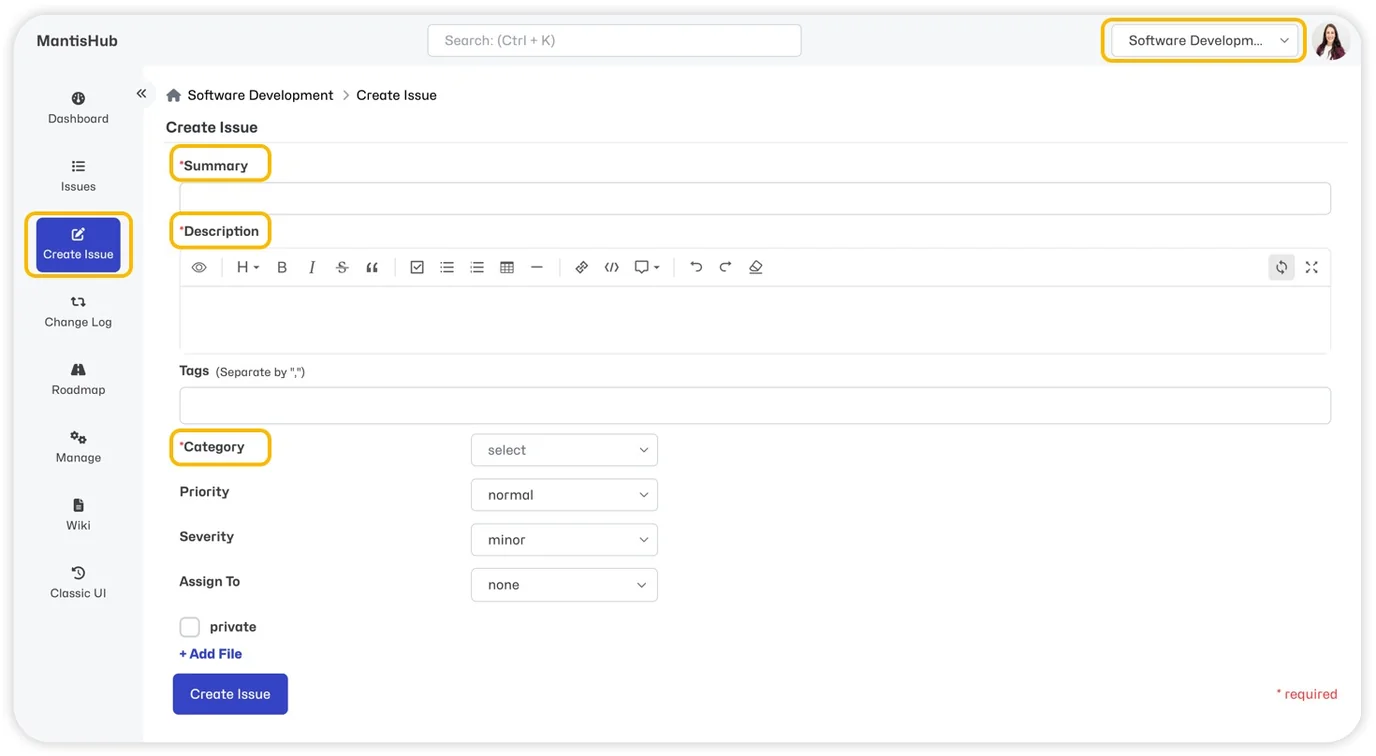
If you have multiple projects, select the correct project via the project selector in the top right of your screen. Then go to 'Create Issue'.
Mandatory Fields
There are 3 mandatory fields:
- Category - The appropriate area within the project to address the issue.
- Summary – A brief title for the issue.
- Description – A detailed description of the issue.
Non-mandatory Fields
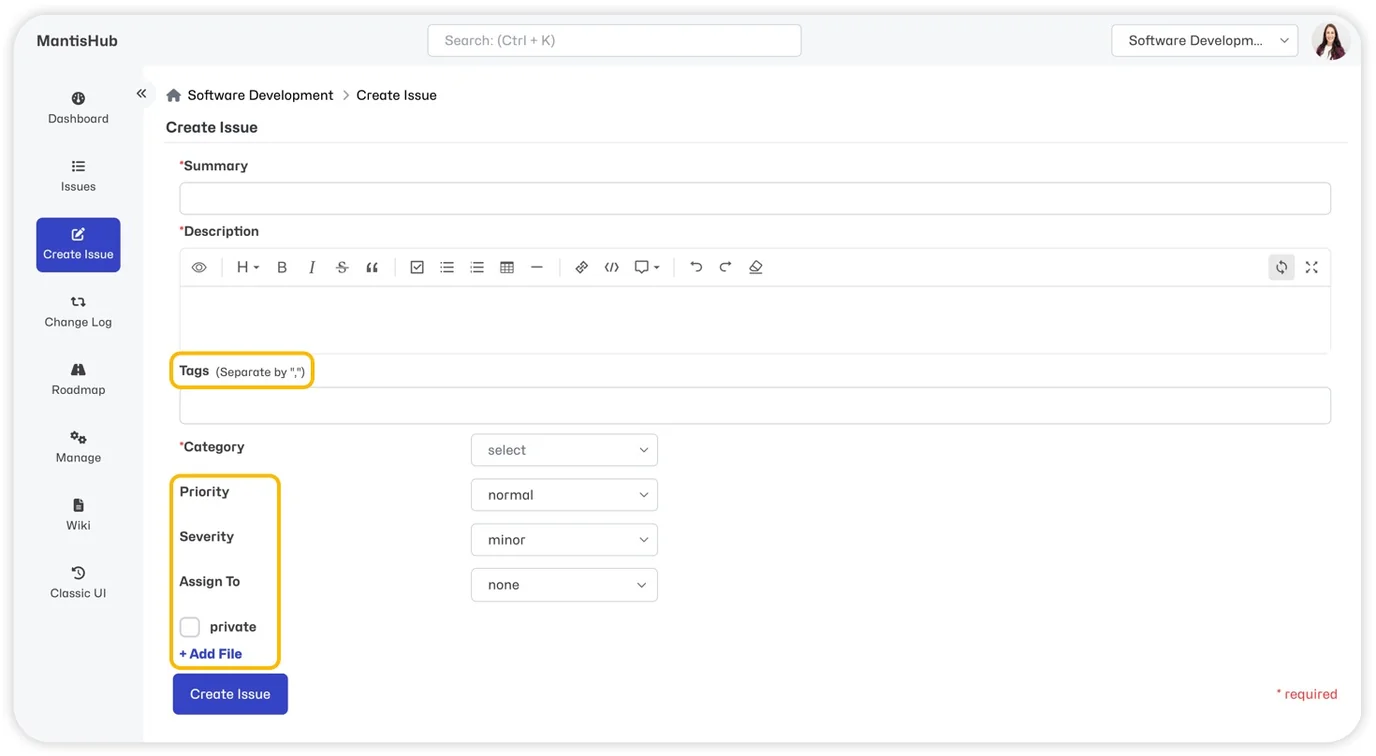
In addition to the mandatory fields, you can:
- attach tags
- modify priority
- modify severity
- assign the issue
- make the issue private
- attach images/files
There are also options to set version information if you've created versions in your project.
When you're done select 'Create Issue'.
Can I add, remove, or reorder fields on this screen?
- You can utilize custom fields to add fields to this screen.
- Non-mandatory fields can be removed from this screen as a customization request. Reach out to support for details.
- Native fields cannot be reordered and will always appear first but custom fields can be reordered by updating the sequence.
Can I make more fields mandatory?
We currently do not support making other native fields mandatory. However, you can make a custom field mandatory.