
User Blocked to Avoid Spam (Rate Limiting)
MantisHub has anti-spam rate limit features that protects accounts with signup enabled. It aims to prevent malicious activity where a user may sign up and then starting to spam your MantisHub with comments, issues, etc.
By default there is a rate limit of 10 actions per hour. The actions include the following changes:
- Reporting an issue
- Adding a comment
- Adding a tag
- Attaching a file
The rate limit applies to a user if the following conditions are true:
- MantisHub account enables signup
- User has the default signup access level (by default REPORTER).
If you find this is impacting valid activity, you can work around this. You can:
Upgrade the impacted user(s) to an access level above REPORTER
If the impacted user is performing bulk actions, you can nominate a different, higher level user account for bulk actions.
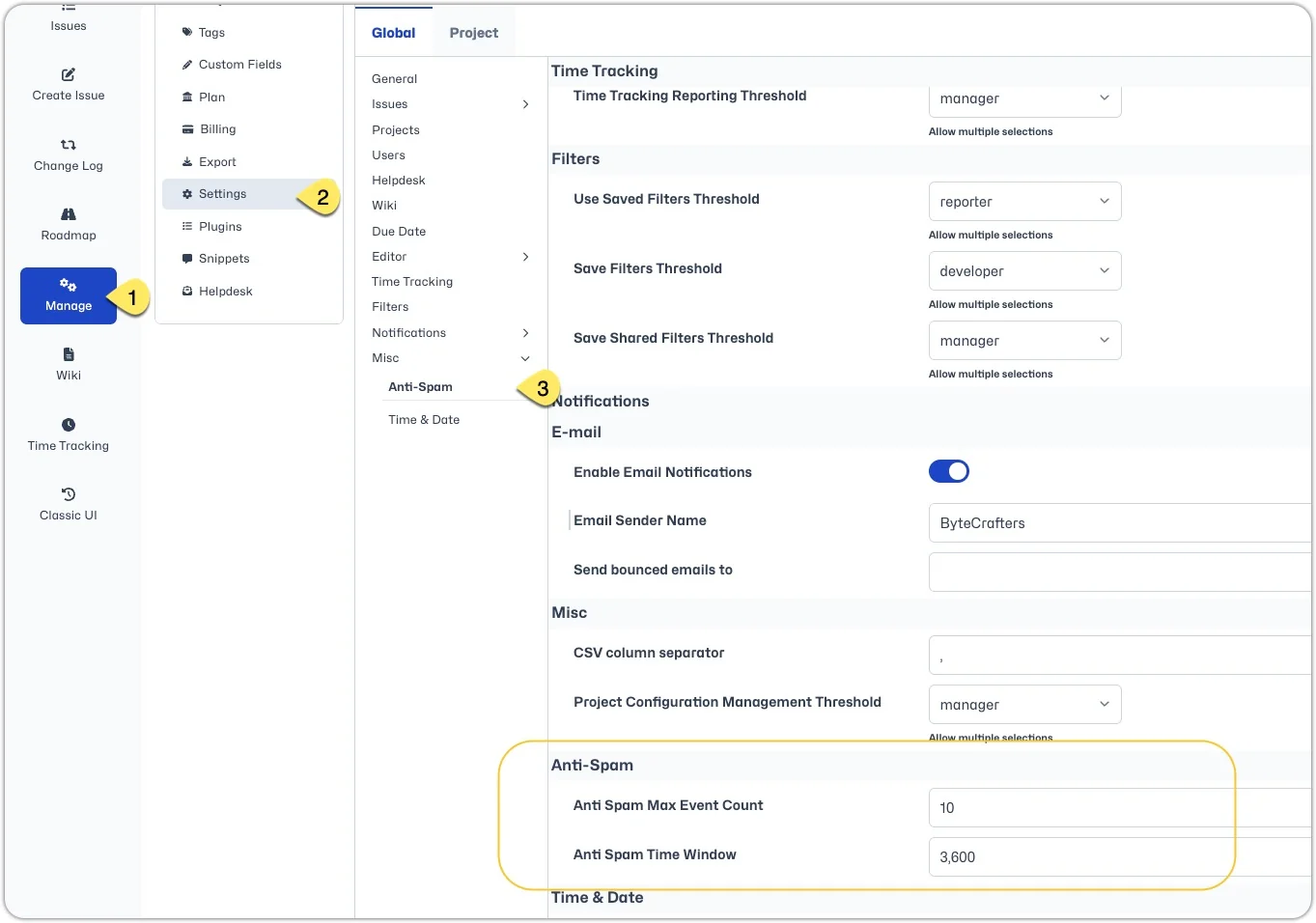
Adjust the anti-spam settings. You can adjust one or more of the following:
- Increase the actions limit - Go to 'Manage - Settings - Misc'. Under
Anti-Spamyou will see a setting forAnti Spam Max Event Count. You can enter a higher value for the number of events per time interval. OR - Disable the feature by setting the
Anti Spam Max Event Countto zero. - Decrease the time window (default of 1 hour) - Go to 'Manage - Settings - Misc'. Under
Anti-Spamyou will see a setting forAnti Spam Time Windowenter the new value in seconds.
- Increase the actions limit - Go to 'Manage - Settings - Misc'. Under