
Auto-complete for users, issue IDs, and pages
Auto-complete for users, issue IDs, and pages - Classic UI article
Auto-complete is enabled in MantisHub to help you automatically fill in usernames, issue IDs, and page names within your issues or pages.
Auto-complete is supported within a MantisHub issue for:
Usernames within the "Users following this issue" section.
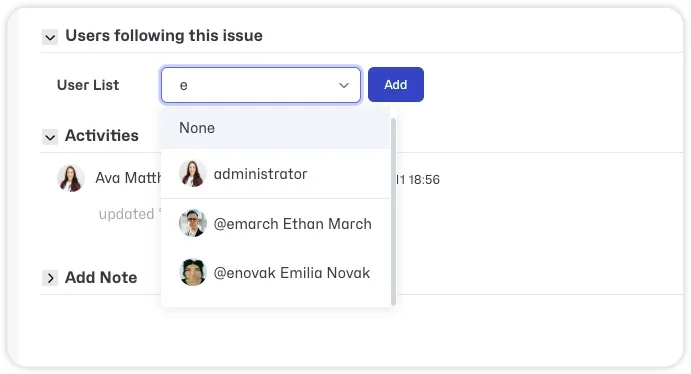
Usernames when using
@user mentions in issue notes, description, or summary.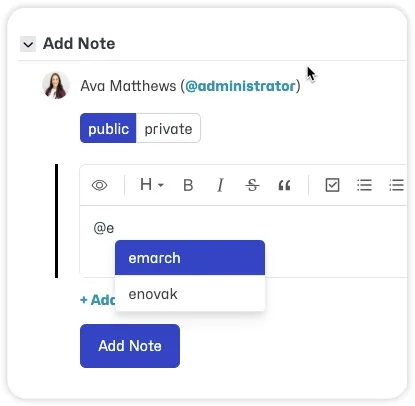
Issue IDs when using the
#key reference in issue notes, description, or summary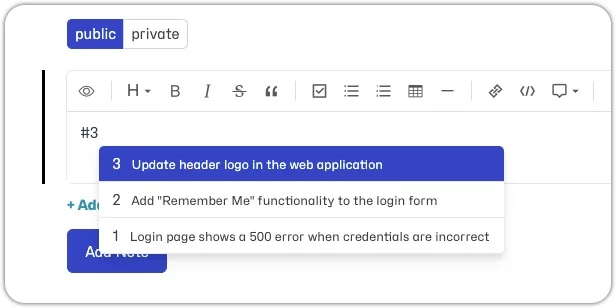
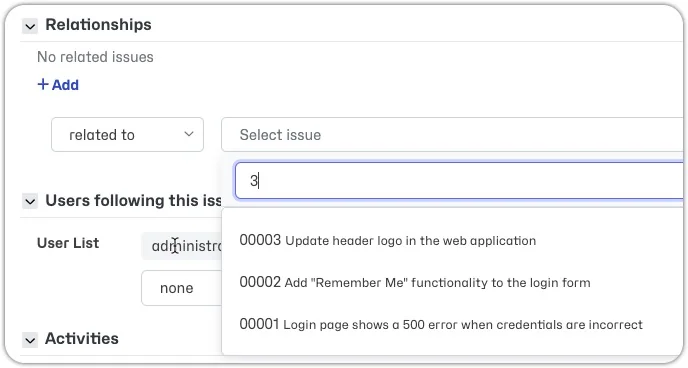
Issue IDs within the "Relationships" section
Page names within an issue description or note.
- Referencing a page in the same project requires double square brackets [[Page Name]].
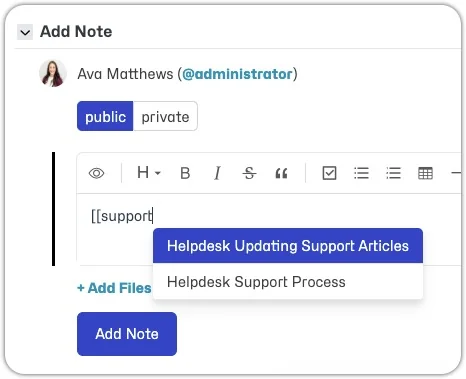
- Referencing a page in a different project requires double square brackets, forward slash, project name, forward slash, page name [[/Project Name/Page Name]].
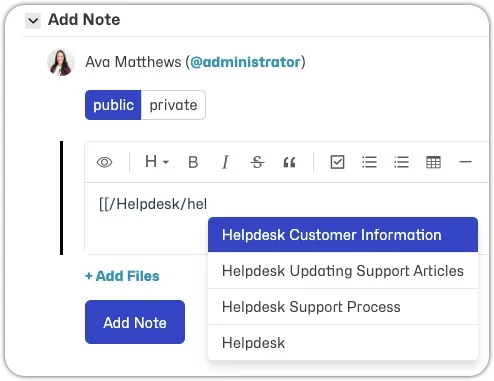
- Referencing a page in the same project requires double square brackets [[Page Name]].
Page names within another page.
- Referencing a page in the same project requires double square brackets [[Page Name]].
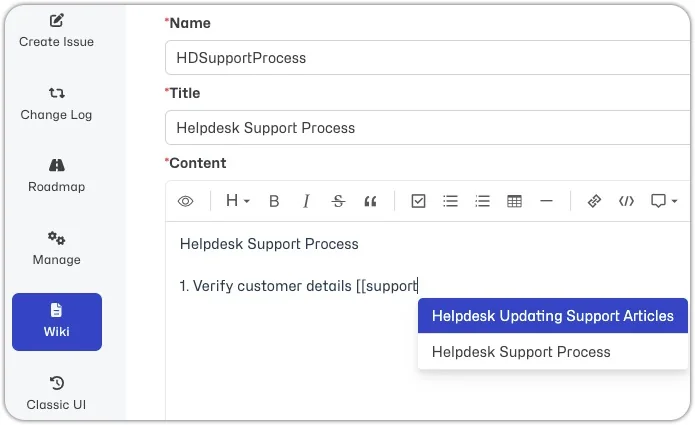
- Referencing a page in a different project requires double square brackets, forward slash, project name, forward slash, page name [[/Project Name/Page Name]].
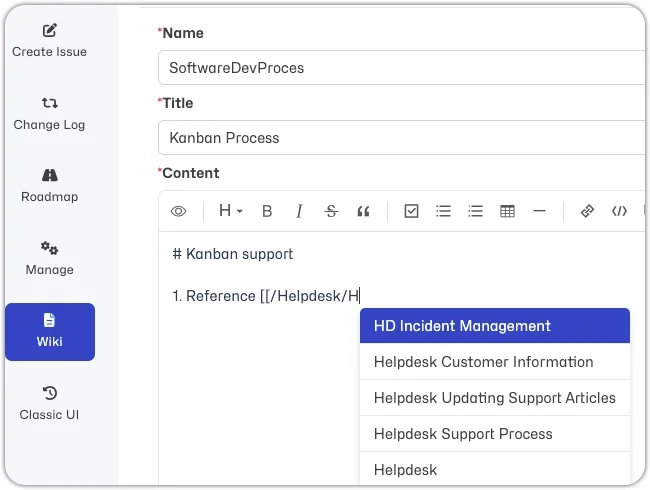
- Referencing a page in the same project requires double square brackets [[Page Name]].
Note that auto-complete does not provide a full list of all users, issues, or pages since these lists would be quite long and make auto-complete unusable. MantisHub auto-complete contains intelligence to provide relevant suggestions. It will display:
- Users involved with an issue (e.g. reporter, handler, those who have added notes, monitoring users etc)
- Users with access level developer and above for the project to which the issue belongs.
- Issue IDs that have been recently viewed.
- Issue IDs related to that issue.
- Pages within the selected project.
- Pages with search results in the name or title.