MantisHub Desktop Application
Chrome and Microsoft Edge now have features that allow you to install a Desktop Application, so that you can launch MantisHub straight from your desktop rather than having to open it through your browser.
This could be really useful as it means you won't have to open your browser and enter your MantisHub address and credentials every time you need to access it.
Browse to your MantisHub address and log in. Navigate to the page you would like to launch your app from. This could be your 'Dashboard' page or 'Issues' page for example.
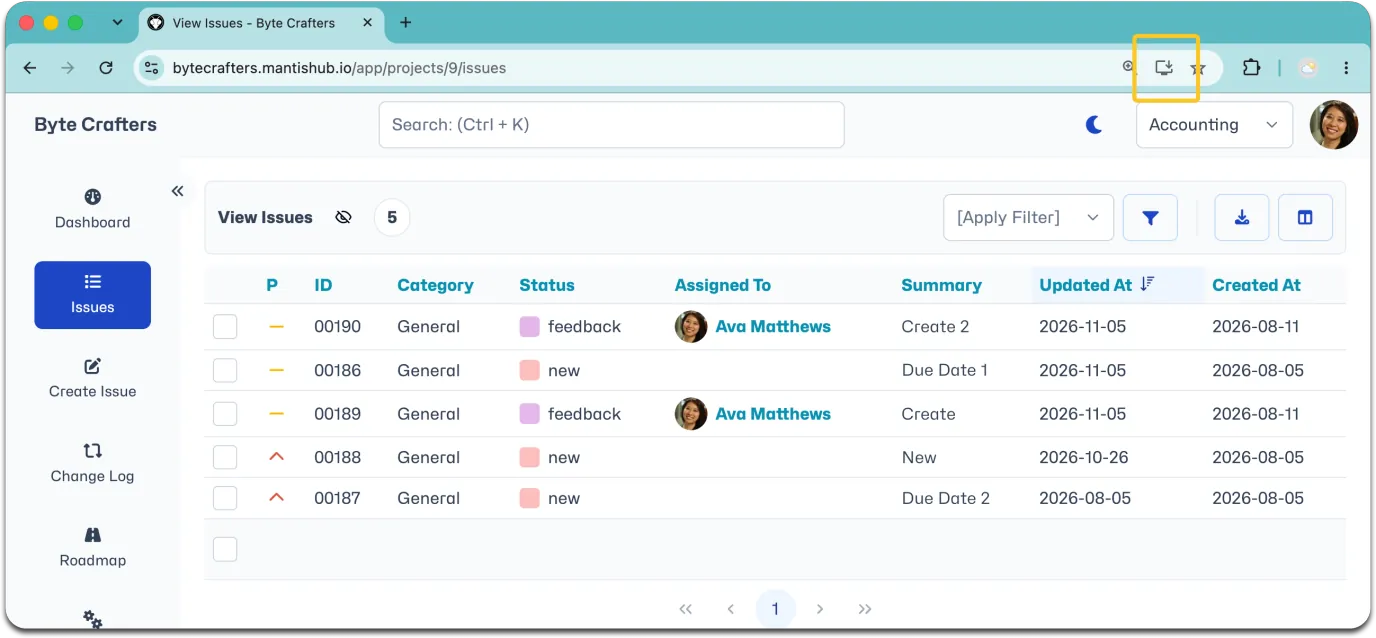
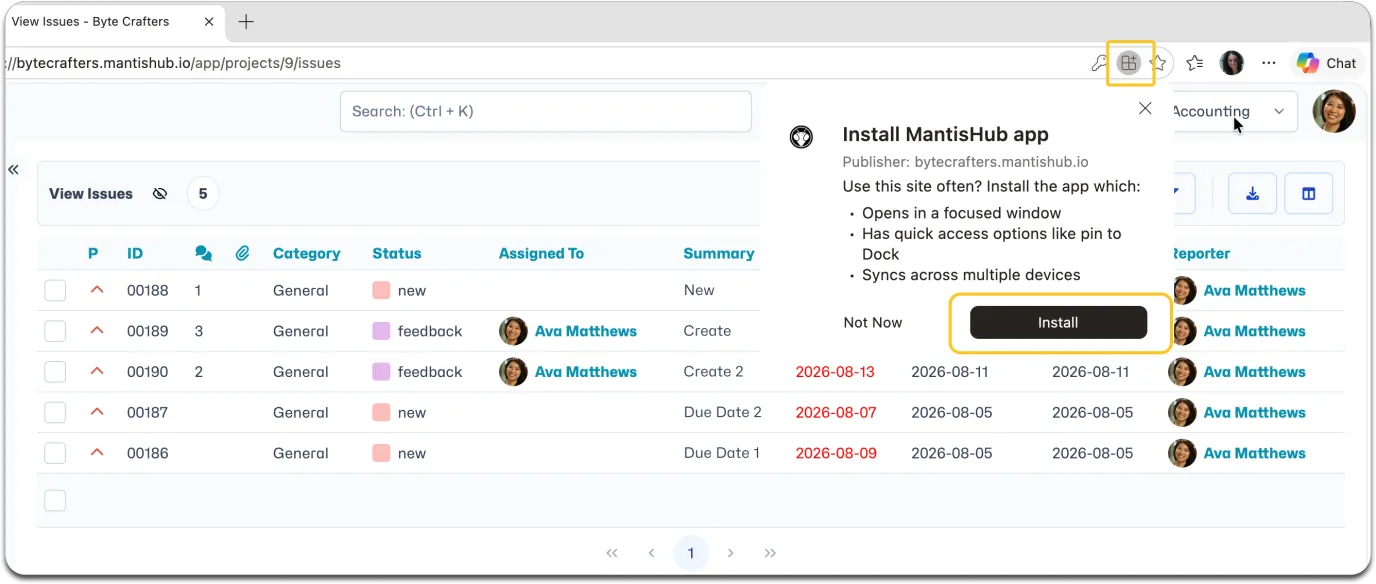
Find the app installation icon at the end of the address bar. Click the installation icon and follow instructions to install the app.
For Chrome:
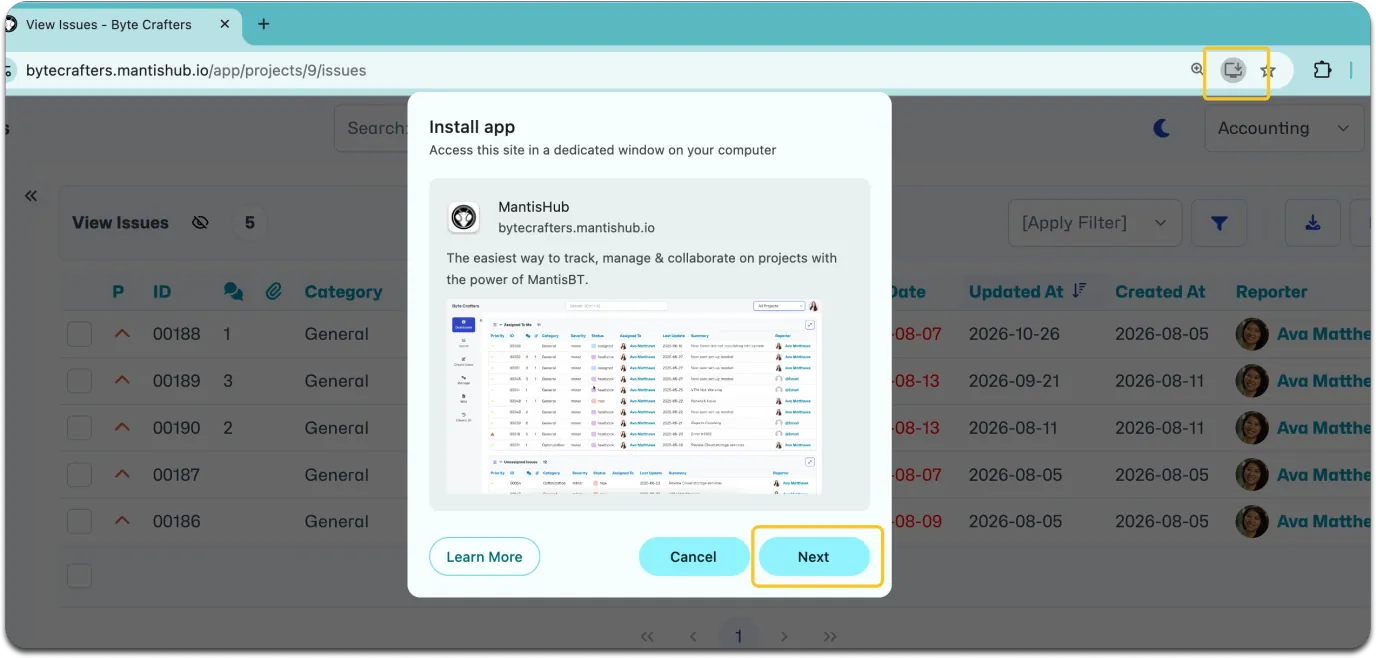
For MS Edge:
Once installed you can run it directly from your device, keep in dock, create a shortcut or cast.
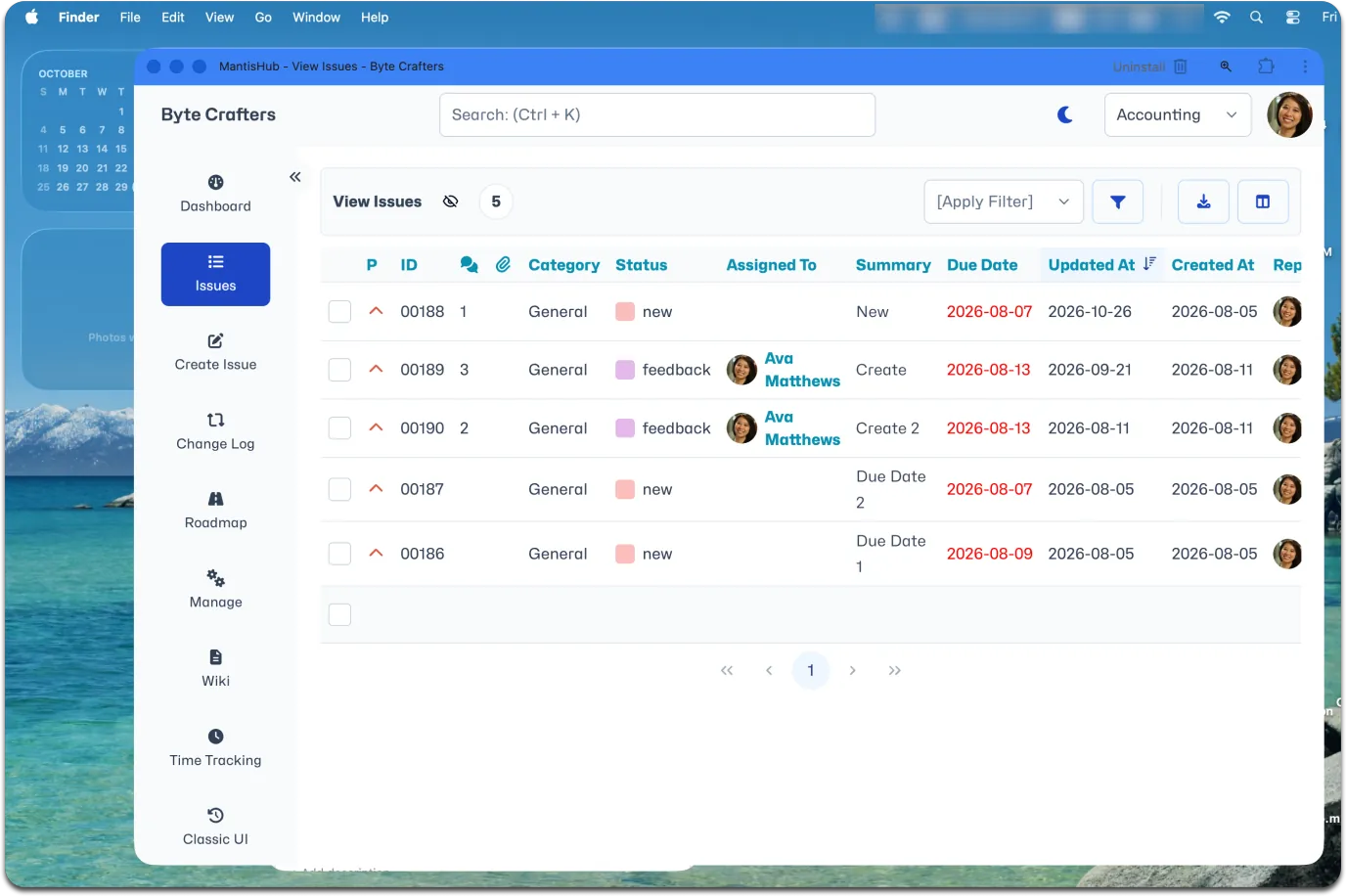
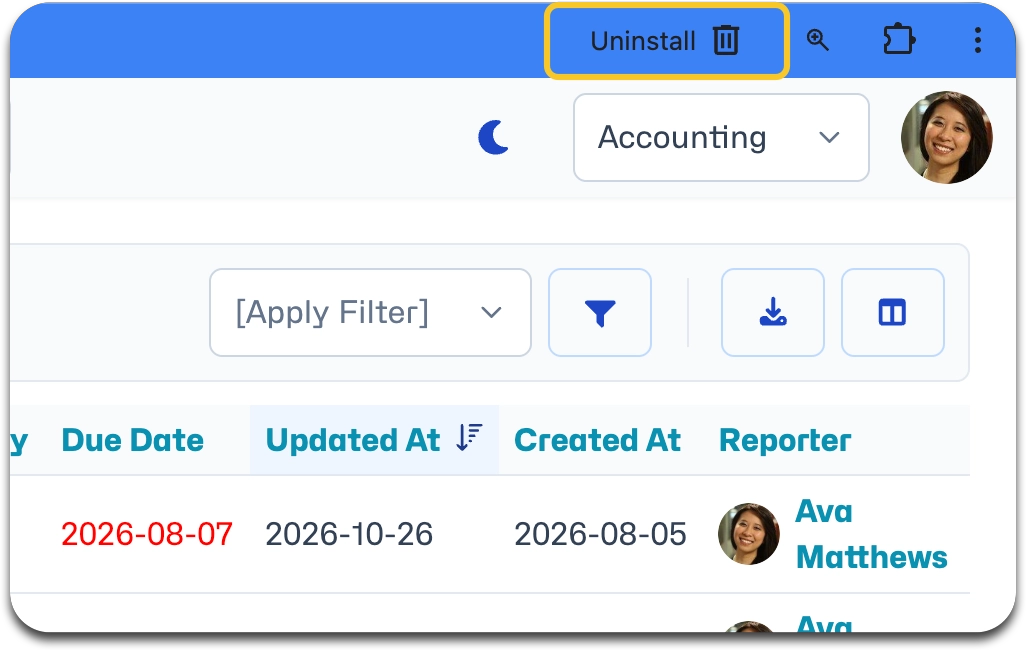
You can uninstall at anytime.